
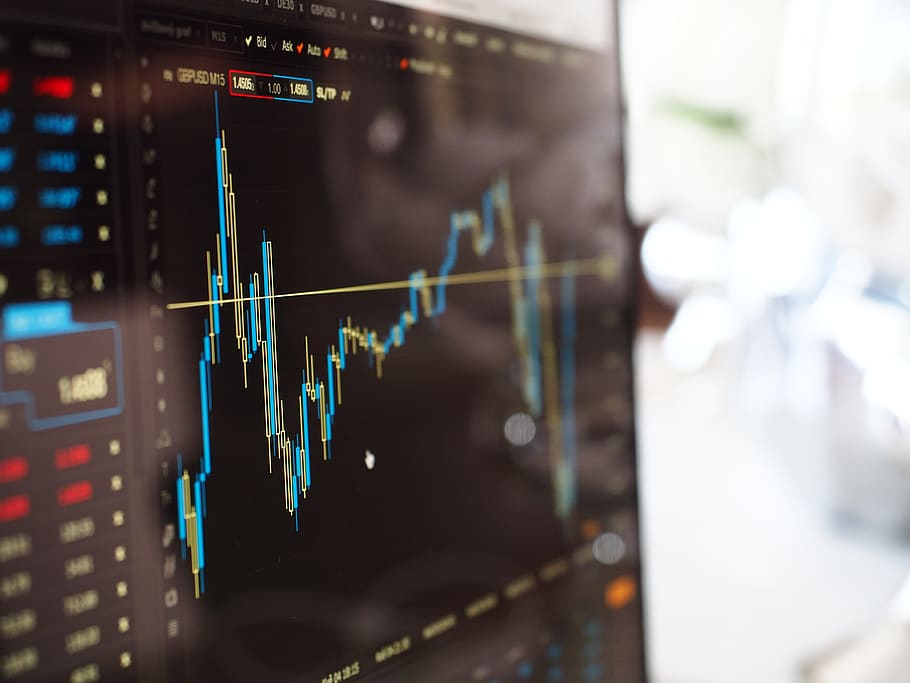
Risk management is the discipline that separates traders who last from those who do not. Many people enter forex markets focused almost entirely on profit—on finding the right entry, the perfect setup, the move that pays. The traders who build sustainable practices over time tend to think about it differently. Their primary focus is protecting capital, and profit follows from that foundation. Using a forex trading app android platform effectively means understanding not just how to place trades, but how to structure every decision around risk controls that preserve the ability to keep trading regardless of short-term outcomes.
Why Risk Management Is More Challenging on Mobile
Trading from a desktop environment allows for larger screens, easier navigation between tools, and a setup that physically signals “this is work.” Mobile trading removes those environmental cues. Trades can be placed on a train, during a lunch break, or late at night—contexts where attention is divided and emotional states may not be ideal for financial decision-making.
This convenience is genuinely valuable when used well. Monitoring a position, adjusting a stop-loss, or reviewing news before a scheduled event is far easier with mobile access. The challenge arises when that accessibility encourages impulsive action—opening trades without proper analysis, over-sizing positions to recover losses quickly, or ignoring pre-set risk parameters in the heat of a moving market.
What Are the Core Risk Management Tools Available in Android Forex Apps?
Most professional-grade Android trading platforms include a set of risk management tools that, when used consistently, provide meaningful protection.
Stop-Loss Orders
A stop-loss order closes a trade automatically when price reaches a specified adverse level. It is the most fundamental risk control tool available. Setting a stop-loss before entering a trade defines the maximum potential loss on that position, regardless of what happens afterward. Traders who skip this step expose themselves to losses that can far exceed their original plan.
On a mobile platform, stop-losses are set in the order placement interface—typically by specifying a price level or a fixed number of pips from entry. Some apps also allow trailing stop-losses, which move in the direction of a profitable trade and lock in gains progressively without requiring manual adjustment.
Take-Profit Orders
A take-profit order closes a trade automatically when price reaches a specified favorable level. Combined with a stop-loss, it creates a defined risk-reward structure for every trade before it opens. This structure allows traders to evaluate whether a setup offers favorable expected value—if the potential gain is smaller than the potential loss, the setup may not meet the criteria for a trade worth taking.
Position Size Calculators
Determining how much of an account to risk on any single trade is a mathematical exercise, not a gut feeling. Several Android trading apps include built-in position size calculators that compute the appropriate trade size based on account balance, risk tolerance, entry price, and stop-loss distance. Using this tool before every trade enforces consistency and prevents the common mistake of varying position sizes based on confidence levels rather than objective criteria.
How Do You Define an Effective Risk-Per-Trade Framework?
Establishing a consistent risk limit per trade is one of the foundational practices in professional trading.
Fixed Risk Approach
Under a fixed risk approach, a trader decides in advance the maximum portion of account equity to risk on any single trade—and applies that consistently regardless of market conditions or perceived opportunity. This approach prevents a single loss from having a disproportionate impact on the overall account and ensures that a losing streak, however frustrating, remains mathematically survivable.
Adjusting Risk Based on Volatility
Different currency pairs and different market conditions carry different levels of inherent volatility. A wider stop-loss required by a more volatile pair effectively increases the risk exposure even if the percentage risk remains nominally the same—because the required position size to hit that percentage loss becomes larger relative to the move. Accounting for volatility when setting position sizes produces more consistent real-world risk exposure across different setups.
What Role Does Leverage Play in Mobile Forex Risk Management?
Leverage amplifies both gains and losses, and its misuse is one of the most common causes of rapid account depletion among retail traders.
Understanding Leverage Ratios on Android Platforms
Forex brokers offer varying leverage ratios depending on jurisdiction and account type. Higher leverage allows traders to control larger positions with smaller deposits—but it also means that adverse price movements produce proportionally larger losses relative to the deposited capital. Traders who use maximum available leverage on every position are one significant market move away from losing their entire account balance.
The more prudent approach is to treat leverage as a feature to be used selectively rather than maximized. Effective position sizing already determines trade size—leverage is the mechanism that makes that size possible with the available margin, not the variable that should determine risk.
Margin Calls and Liquidation
When account equity drops below the broker’s required margin level, a margin call is triggered. If the account cannot cover the required margin, open positions may be liquidated automatically—often at unfavorable prices during fast-moving markets. Understanding margin requirements within a mobile trading app, and monitoring the margin level meter that most platforms display in real time, prevents the unpleasant surprise of forced closures.
How Should You Psychologically Approach Risk on a Mobile Platform?
The psychological dimensions of trading are inseparable from practical risk management.
Planning Trades Before Opening the App
Reactive trading—opening the app, seeing price moving, and entering without preparation—produces poor results regardless of skill level. The habit of identifying potential setups during a dedicated analysis session, setting alerts for key levels, and only acting when pre-defined conditions are met creates a buffer between market noise and trading decisions. When the app notifies you that price has reached your level, the trade plan already exists—execution becomes straightforward rather than emotional.
Accepting Losses as a Cost of Business
Every trading strategy produces losing trades. No technical setup, however reliable historically, wins every time. Traders who struggle to accept this reality tend to hold losing positions too long—hoping for a reversal rather than honoring the stop-loss—or abandon a valid strategy after a short losing sequence. Reframing losses as the operating cost of a probabilistic activity, rather than evidence of failure, supports consistent execution over time.
Reviewing Drawdown Periods Objectively
Drawdown—the decline from an account’s peak value to its current value—is an inevitable feature of trading. How deep and prolonged drawdown periods become depends heavily on position sizing and stop-loss discipline. Reviewing drawdown history objectively through the account statements available in most Android apps reveals whether current risk management practices are performing as intended or require adjustment.
What is a reasonable risk limit per trade for new forex traders?
Most risk management guidance suggests keeping individual trade risk proportionate to the account and consistent across all setups. Starting with smaller risk exposure while developing experience is a widely recommended approach before gradually adjusting as skill and confidence develop.
How do trailing stop-losses work on Android forex apps?
A trailing stop-loss moves automatically in the profitable direction of a trade by a fixed number of pips. If price reverses by that amount, the stop triggers and closes the position. It locks in profits without requiring manual adjustment.
Can you set daily loss limits on an Android trading platform?
Some platforms include risk management settings that restrict further trading once a defined daily loss level is reached. This feature is particularly useful for preventing the common psychological trap of increasing position sizes to recover losses within a single session.
What happens during a margin call on a mobile forex account?
When account equity falls below the required margin threshold, the broker may issue a margin call notification through the app. If the account balance is not increased or positions are not reduced, the broker may automatically close some or all open positions to bring the margin level back within acceptable limits.
Is it safer to trade smaller position sizes when using a mobile platform?
Appropriate position sizing is determined by the account risk framework, not the device used for trading. However, given that mobile trading environments can involve divided attention, many traders opt for conservative sizing on positions opened outside of dedicated analysis sessions.
A Sustainable Approach to Mobile Forex Trading
Risk management is not a constraint on trading—it is the structure that makes trading viable over the long term. Every tool available within an Android forex trading app, from stop-loss orders to position size calculators to margin monitors, exists to support the underlying objective: staying in the market long enough to benefit from a sound strategy. Build the habits around these tools first, and the analytical and execution skills will develop within a framework that protects your capital at every stage.